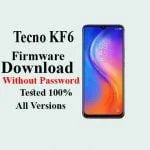
Tecno KF6 Firmware Download Without Password
Tecno KF6 Firmware ROM latest updates are available here then you are the right place. You can download Tecno KF6 Stock Firmware ROM without password and 100% tested MTK, SPD & OTA files...

Security Status: SAFE
Scanned by 65+ antivirus engines • No threats detected
Screenshots & Preview
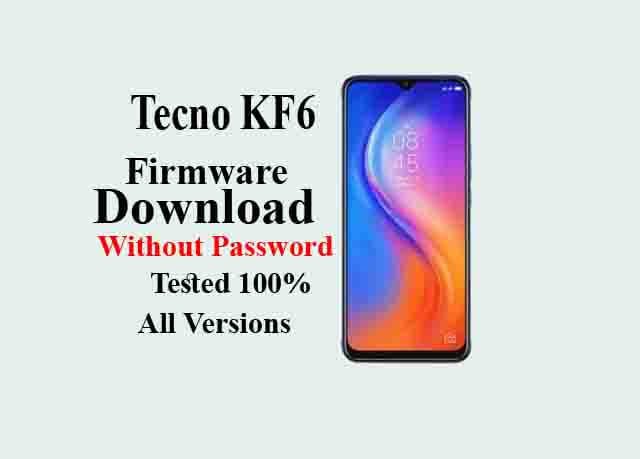
Click on images to view full size (1 images)
Tecno KF6 Firmware ROM latest updates are available here then you are the right place. You can download Tecno KF6 Stock Firmware ROM without password and 100% tested MTK, SPD & OTA files also. This Tecno KF6 MT6761 flash file is a 100% secure and tested file so you can download it without any hesitations.
This article contains the Tecno KF6 firmware ROM zip file without any password with the USB driver, Flash tools, and step-by-step user guidelines.
Tecno KF6 Firmware solves the problems:
The Tecno KF6 Stock Firmware ROM helps you to recover operating system upgrade, user security lock, boot loop, Viruses affected, software error, update error, hanging or dead issues, IMEI issues and any software related problems.
This flashing guide is straight forward and easy to follow. We have listed the Tecno KF6 MT6761 flash file below. Download the proper stock Firmware ROM to repair your device. If you find any errors please comment us below.
Tecno KF6 Hardware Details:
This Tecno KF6 Smartphone is run on the Android 10Operating System that is powered by MTK processor. The Tecno KF6 device a Dual SIM accepts. Connectivity options Wi-Fi, GPS, Bluetooth, USB OTG, FM, 2G, 3G, 4G.2 Ram and 32 Storage.
Tecno KF6 FRP Bypass:
You can bypass FRP lock using the Tecno KF6flash file. You can also remove FRP lock using Tecno FRP bypass APK. Here’s you can find a full guideline on how to use Tecno FRP bypass APK which is written by easy way. So you can bypass your FRP lock follow the instructions <<Click Here>>
Device and Firmware Information With Download Link:
>Device Name: Tecno KF6
>Flash Tool: Flash Tool.
>How To Flash: Instructions.
>Android Version: 10
>File Size: 1.6GB
[mi_download post_id=”3426″ url=”https://drive.google.com/file/d/1lLxsf2KszDuC72fTIbjC0B5SX1GTaiuH/view?usp=sharing”]
How to Flash Tecno KF6 Stock Firmware ROM:
After downloading all the required files, you need to follow the steps. It will assist you to try and do the flashing procedure. Let’s begin with the steps of the Tecno KF6 flash file, latest Stock firmware all versions.
[Step-1]: First, you must have to download the latest SCL-U31Flash Tools software on your PC.
[Step-2]: Now, you also have to download the latest Tecno KF6 firmware ROM.
[Step-3]:  Install the SPD USB Driver software on your PC. Already you have done then skip the step.
[Step-4]: Then, Extract the downloaded firmware. You’ll extract on the Desktop for batter navigations.
[Step-5]: Carefully check that, your battery has up to 50-60% charge.
[Step-6]: Now, Open the Flash Tools. (If Need Select the file inside of the firmware folder) and Select an accurate firmware file then click the Start Button.
[Step-7]: Turn off your phone and remove the battery (If Removable).
[Step-8]: Plug the USB cable from your computer to your phone, and then insert your phone battery.
[Step-9]: Flashing will be Start. Now, wait for few minutes, you will display a perfect logo.
Remove the USB cable from your Tecno KF6 phone & turn on your mobile and enjoy it!
[su_button url=”https://gsmflashrom.com/download-sp-flash-tool/” target=”blank” style=”flat” background=”#65a5eb” size=”10″ wide=”yes”]Follow The Guidelines[/su_button]
Attentions:
[*]: Please take a backup before flashing your Tecno KF6 Android Phone. Attention after flashing your all user information is will be removed. This rules you to recover the information when flashing after including (Phonebook, Applications, Music, Videos, and Images).
[*]: [This process is 100% safe. But if you do anything wrong and got bricked your device then any of us are not responsible for your action. We can only give you a suggestion, nothing more.]
[*]: All device names, logos, and brands are the property of their respective owners. All company, device and service names used in this Blog are for identification and learning purposes only.
Easy Installation
Simple setup process with clear instructions
Safe & Secure
Scanned and verified free from malware
Fast Download
Multiple mirror servers for fastest download speeds
System Requirements
Minimum Requirements
Recommended
- Latest version with all current features
- Bug fixes and performance improvements
- Security updates and patches
- Compatibility improvements
Rate & Review This Software
User Reviews
No reviews yet. Be the first to review!
About the Author / Developer