![Samsung J250F Network Unlock Firmware [Tested]](https://gsmflashrom.com/wp-content/uploads/2019/04/J250F-150x150.jpg)
Samsung J250F Network Unlock Firmware [Tested]
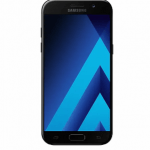
Samsung J250F Network Unlocks firmware ROM (flash file) download for your Samsung Android Smartphone. Samsung J250F running on Android Version: 7.1.1 Nougat. This Firmware Samsung SM-J250F Country Lock Unlock Done...

Security Status: SAFE
Scanned by 65+ antivirus engines • No threats detected
Screenshots & Preview
![Samsung J250F Network Unlock Firmware [Tested] 1](https://gsmflashrom.com/wp-content/uploads/2019/04/J250F.jpg)
Click on images to view full size (1 images)
Samsung J250FNetwork Unlocks firmware ROM (flash file) download for your Samsung Android Smartphone. Samsung J250F running on
Android Version: 7.1.1 Nougat.
This Firmware Samsung SM-J250F Country Lock Unlock Done With Odin3. Tested File Without Password Full Free, So GSM All Friends Just Download Samsung SM-J250F Network Unlock Firmware File And Enjoy All Times With Your Smart Phone.
Device and Firmware Information With Download Link:
>Chip: Qualcomm MSM8917 Snapdragon 425 (28 nm)
>Driver: Samsung USB Driver.
>Flash Tool:Odin.
>Firmware Link: Download
How To Install Firmware And Network Unlock Samsung J250F?
Step 1: Download and install Samsung USB Driver on your computer. In case you have already installed the Samsung USB Driver on your computer then SKIP this step.
Step 2: Download (Stock ROM compatible with your device or if you have already downloaded the firmware then ignore downloading it again) and extract it on your computer. After extracting you will be able to see these kind of files.
Step 3: Power Off your Samsung J250F Device.
Step 4: Now, you have to boot into Download mode. To boot into Download Mode: Press and Hold Volume Down Key, Home Key and Power Key. When phone vibrates Leave the Power Key but Keep holding the Volume Down Key and Home key. You will boot into the Download Mode.
Step 5: In the Download mode you will be able to see a Warning Yellow Triangle Sign. In this situation you have to press the Volume up key to continue.
And Download and extract Odin Tool on your computer. After extracting you will be able to see the following files.
Step 6: Now, Open Odin3 and connect your samsung j205f phone to the computer. Once you have connected the phone to the computer, Odin will automatically recognize the device and show “Added” message at the lower-left panel.
Step 7: Once your device detected by Odin, click on the “BL, AP, CP, CSC” button and select the tar.md5 file that you have extracted in Step #2.
Step 8: Now, click on the ‘‘Start” button in Odin to begin the Flashing process.
Step 9: Once you see, the Green Pass Message then remove the USB cable from the device (during this process, your device will restart automatically.
Step 10: If it is not automatic reset, then it may be manually reset the phone. For factory data reset Press and Hold Volume UP key, Home Key, PowerKey. When phone vibrates Leave the Power Key but Keep holding the Volume UP Key and Home key. You will boot into the Recovery Mode.
Step 11: In Recovery Mode, Wipe Data/factory reset.
Step 12: Once Cache Data is cleared, Select Restart Phone Now from the recovery menu.
Step 13: Now, your Samsung Device will restart without any issue with the Stock Rom you have downloaded.
Please Note: This process is 100% safe. But if you do anything wrong and got bricked your device then any of us are not responsible for your action. We can only give you a suggestion, nothing more.
All device names, logos, and brands are the property of their respective owners. All company, device and service names used in this Blog are for identification and learning purposes only.
Stay with Gsm Flash Rom for how to downloading installing any Android phone’s official firmware/flash file fully free.
Easy Installation
Simple setup process with clear instructions
Safe & Secure
Scanned and verified free from malware
Fast Download
Multiple mirror servers for fastest download speeds
System Requirements
Minimum Requirements
Recommended
- Latest version with all current features
- Bug fixes and performance improvements
- Security updates and patches
- Compatibility improvements
Rate & Review This Software
User Reviews
No reviews yet. Be the first to review!
About the Author / Developer