Intex Infie 3 IV0318ND Firmware Flash File
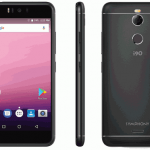
If you have an Intex Infie 3 IV0318ND smartphone. And you want Intex Infie 3 IV0318ND Firmware to solve your bricked device. then you definitely are in the best place. This...

Security Status: SAFE
Scanned by 65+ antivirus engines • No threats detected
Screenshots & Preview
Click on images to view full size (1 images)
If you have an Intex Infie3 IV0318ND smartphone. And you want Intex Infie 3 IV0318ND Firmware to solve your bricked device. then you definitely are in the best place. This article contains IntexInfie 3 IV0318ND Flash Files. That will allow you to recover your IntexInfie 3 IV0318ND Android mobile into its initial Factory state. Additionally, you can use the file to change your phone to the newest version. You’ll find these below files useful if you have used the flashed customized builds on the device. brick your device, change your device and also come back that device to the factory state.
this Intex Infie 3 IV0318ND Stock Firmware will fix your bricked phone; We will guide on how to flash the right official Intex Infie 3 IV0318ND Stock Firmware on your device without errors. This flashing guide is easy and straightforward to follow. We have listed the Intex Infie 3 IV0318ND Flash File below. Download the right stock ROM file to fix your device. If you find any error please comment below.
Device And Firmware Information With Download Link:
>Chipset: Mediatek MT6737 .
>Driver: MTK USB Driver.
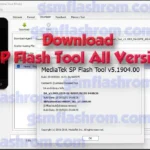
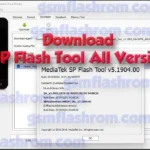
>Flash Tool: SP Flash Tool Tool.
>File Name: INFIE_3_V09_Indian_20180719.zip
>Android Version: 8.1 Oreo.
>File Size: 818 MB
>How to Flash: Follow Tutorial
>File Link: Download
How to Install Firmware Intex Infie 3 IV0318ND?
After downloading all the necessary files, you must follow the steps. It will help you to do the flashing procedure. Let’s begin with the steps ofIntex
Infie 3 IV0318ND flash file stock Rom firmware all version.
Step 1: At First, you must have to Download the latest SP Flash Tools software on your PC.
Step 2: Then, you also have to Download the latest Driver software of your Phone.
Step 3: Install the MTK Usb Driver software on your PC.
Step 4: Then, download the latest version of the firmware file of your Infie 3 IV0318ND smartphone.
Step 5: Carefully check that, your battery has up to 50% charge.
Step 6: Now, Open the Flash Tools. Select the firmware file & click the Start Button.
Step 7: Turn off your phone and remove the battery.
Step 8: Plug the USB cable from your PC to your phone, then insert your phone battery.
Step 9: Flashing will be Start. Now, Wait for 3/5 minutes, you will display a perfect logo
Remove USB cable & turn on your mobile and enjoy!
Please Note: This process is 100% safe. But if you do anything wrong and got bricked your device then any of us are not responsible for your action. We can only give you suggestion, nothing more.
Stay with Gsm Flash Rom for downloading any Android phone’s official firmware/flash file.
Easy Installation
Simple setup process with clear instructions
Safe & Secure
Scanned and verified free from malware
Fast Download
Multiple mirror servers for fastest download speeds
System Requirements
Minimum Requirements
Recommended
- Latest version with all current features
- Bug fixes and performance improvements
- Security updates and patches
- Compatibility improvements
Rate & Review This Software
User Reviews
No reviews yet. Be the first to review!
About the Author / Developer





![SamFlash Tool v3.1 Unlock Your Samsung Phone (ADB, MTP & MediaTek FRP) [2024]](https://gsmflashrom.com/wp-content/uploads/2024/04/SamFlash-Tool-v3.1-Unlock-Your-Samsung-Phone-ADB-MTP-MediaTek-FRP-2024-150x150.webp)